
Beyond captions: how to build truly inclusive environments for deaf students


You may also like
Universities have made real progress towards digital accessibility. We now record lectures and switch captions on more often. From an administrative perspective, the compliance box is often ticked. However, for many deaf and hard-of-hearing (D/HH) students, the learning experience is still exhausting.
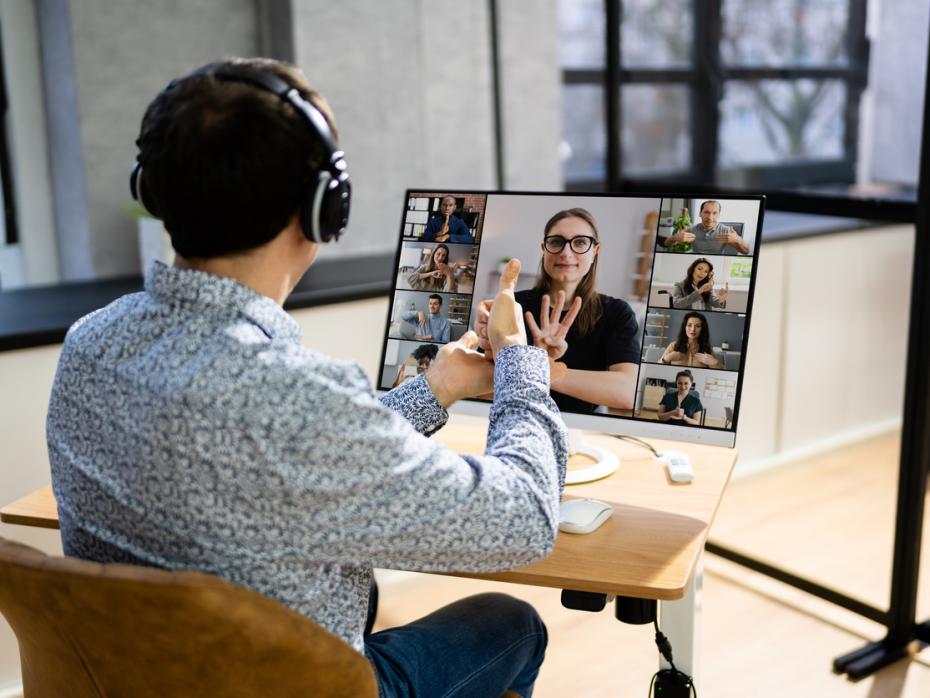
The challenge is architectural. While hearing students process audio and visuals in parallel, a D/HH student must process everything in serial – flicking their eyes between the lecturer, the interpreter, the slide and the captions. This “visual ping-pong” creates a split-attention effect that leads to massive cognitive fatigue. To make digital transformation meaningful, we must move beyond “accommodating” disability to design for visual bandwidth.
Build the visual landscape
D/HH students are almost entirely visual learners. If your slide layout is cluttered or your pacing is too fast, vital information is lost during the transition between looking at content and looking at translation.
- Apply the “25 per cent rule”: always reserve one-quarter of your slide as a “safe harbour”. This empty space ensures that an interpreter window or a 3D sign-language avatar can be overlaid without obscuring data.
- The 10-second rule: after displaying a complex diagram, pause for 10 seconds before speaking. This allows students to “read” the visual landscape before they shift their attention back to the source of translation.
- Demonstrate visual agency: spend two minutes in your first session showing students how to pin and resize windows. Giving them control over their screen layout reduces frustration immediately.
Evidence of impact: at my university, we found that lectures supplemented with synchronised captions and 3D avatars improved comprehension by 85 per cent among deaf students once we applied these visual layout rules.
Build on high-quality linguistic data
In AI-enabled classrooms, inclusion is only as good as the data behind it. Generic translation tools often fail to capture the dialectal nuances or synonyms essential for academic clarity.
- Look for nuanced datasets: my research published in ScienceDirect introduced the Arabic Yemeni sign language (ArYSL) version 2 dataset, featuring 35,900 labelled images. Crucially, it includes a dictionary of 357 words that account for synonyms and regional variations.
- Prioritise accuracy over speed: do not rely solely on any automated tool. Use platforms that respect linguistic nuances so a translation remains accurate even when a student uses a different regional sign for a technical concept.
Ensure platforms meet ‘independent use’ standards
Accessibility isn’t just about viewing; it’s about navigation. Students must be able to interact with your learning management system (LMS) independently.
- Check your navigation: verify colour contrast and keyboard shortcuts. Prioritise learning tools interoperability (LTI) standards so that accessibility tools stay “always on” within the course dashboard rather than hidden behind external links.
- Edit automated captions: treat AI-generated captions as a draft. Review recordings to correct technical jargon; accurate punctuation provides the mental “breathing room” required to parse complex ideas.
Evidence of impact: platforms optimised for comprehensive accessibility at my university saw engagement rise to 95 per cent, compared with 70 per cent on non-optimised versions.
- Spotlight guide: Student support in the university classroom
- Spotlight guide: Make learning accessible to all in higher education
- Effective support means meeting university students where they are
Foster ‘expressive symmetry’ in assessment
Inclusion is a two-way street. If a student can receive information but cannot express themselves in their primary language, they face a “linguistic ceiling”.
- Enable bidirectional communication: research I published in the Institute of Electrical and Electronics Engineers’ (IEEE) Access journal details a real-time bidirectional system. We used the YOLOv8n-cls model (a lightweight, high-speed image classification model optimised for real-time performance) to achieve 99.9 per cent accuracy in converting sign gestures to text. To facilitate the reverse text-to-sign process, we integrated a fuzzy string-matching tool to map written Arabic input against an extensive data dictionary. This technique identifies the closest linguistic match even when input is imprecise, ensuring the system reliably retrieves the correct sign images despite spelling typos or variations. By resolving the “linguistic ceiling” caused by input errors, this system allows students to contribute naturally and fluidly.
- Offer flexible assessment: offer alternatives to oral-only exams. Allow students to submit captioned video responses or sign-language explanations. Implementing these methods at our institution increased average exam scores from 68 per cent to 75 per cent.
Train faculty for long-term sustainability
Educators must know how to implement these tools effectively.
- Provide workshops: supply faculty with simple checklists for preparing inclusive multimedia. After targeted training at my institution, 90 per cent of instructors successfully adapted their strategies.
- Avoid the “afterthought” trap: involve D/HH students in testing your digital tools early.
Use sign language technology with nuance
AI-powered avatars are developing quickly, but they require professional oversight. Sign language relies heavily on “non-manual markers” – facial expressions and body shifts – that function as grammar.
- Use avatars for static content: these allow for 24/7 access to resources such as safety briefings or syllabus walkthroughs.
- Retain humans for complex debates: complex discussions require the expressive nuance that only a human interpreter can master. While AI can bridge the word-gap, maintaining grammatical context still requires human oversight.
Design for diversity from the start
True inclusion begins with a design decision, not an “enable captions” button. By prioritising visual clarity, using high-quality datasets and fostering expressive symmetry, we move from mere accommodation to true empowerment. Digital transformation offers a clear roadmap for universities to foster equitable environments where deaf and hard-of-hearing students do not simply cope; they thrive.
AI disclosure: this article was developed by the author with AI assistance for structural editing and alignment with Times Higher Education Campus guidelines. All technical insights, metrics and strategies reflect the author’s professional expertise and peer-reviewed research.
Mogeeb A. A. Mosleh is a professor of artificial intelligence at Taiz University, Yemen.
If you would like advice and insight from academics and university staff delivered direct to your inbox each week, sign up for the Campus newsletter.
